
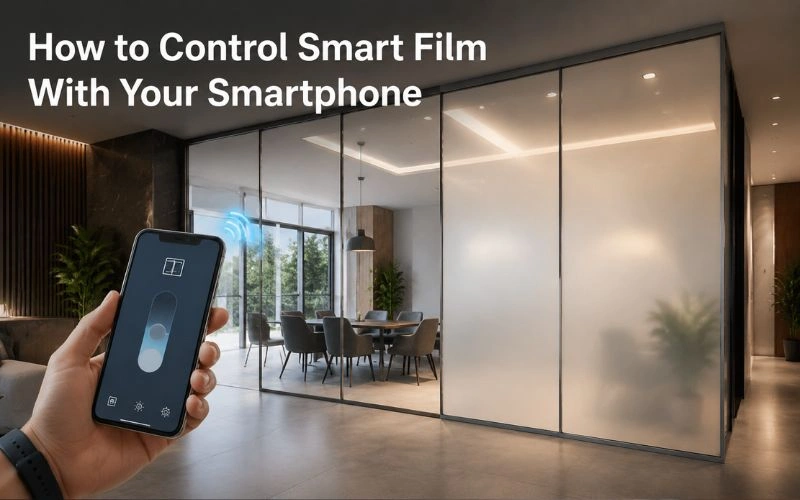
Smart film has come a long way from being just a switchable privacy glass product. Today, you can control it directly from your smartphone, sitting on your couch, walking into a meeting room, or even when you are not home. The ability to manage your glass privacy from a mobile device is one of the biggest reasons why smart film adoption is growing rapidly in Pakistan.
If you have recently installed smart film or are planning to, understanding how smartphone control works will help you get the most out of your investment. This guide walks you through everything you need to know, from the technology behind it to the apps and systems used for seamless control.
The Technology Behind Smartphone-Controlled Smart Film
Before getting into the control methods, it helps to understand what makes smartphone integration possible. Smart film is powered by PDLC technology, which requires a low-voltage electrical signal to switch between opaque and clear states. That signal can be triggered by a wall switch, a remote control, or a smart controller connected to your home or office network.
Wi-Fi and Bluetooth Controllers
The most common way to connect smart film to your smartphone is through a dedicated Wi-Fi or Bluetooth controller installed as part of the film’s electrical circuit. These controllers act as a bridge between the film and your phone. Once the controller is on the same network as your device, you can toggle the film on or off, schedule automated switching, or set it to respond to other smart home triggers.
Wi-Fi-based controllers offer the advantage of remote access, meaning you can control your switchable glass film from anywhere in the world as long as you have an internet connection. Bluetooth controllers, on the other hand, work only within a short range but are simpler to set up and do not require a router connection.
What Apps Are Used to Control Smart Film?
Most smart film controllers are compatible with widely available smart home apps. The app you use depends on the brand of controller installed with your film. Some of the most commonly used platforms include Tuya Smart, Smart Life, and manufacturer-specific apps that come bundled with premium smart film systems.
Setting Up the App on Your Phone
The setup process is straightforward in most cases. After installing the physical controller, you download the relevant app, create an account, and add the controller as a new device using its Wi-Fi credentials or a QR code scan. Within a few minutes, your smartphone becomes a full control panel for your smart film.
Once connected, the app typically gives you access to a simple on/off toggle, a dimming slider if your film supports it, scheduling options, and scene-based automation. For example, you can set the film to turn opaque every evening at sunset automatically or program it to go clear every morning when you wake up.
According to Tuya IoT Platform, their smart home ecosystem supports millions of devices globally and is one of the most widely integrated platforms for smart glass and film control, offering both Android and iOS compatibility.
Integrating Smart Film With Smart Home Systems
If you already use a smart home ecosystem like Google Home, Amazon Alexa, or Apple HomeKit, smart film can often be integrated directly into those platforms. This means you can use voice commands to control your glass privacy alongside your lights, thermostat, and other connected devices.
Voice Command and Automation
Saying “Hey Google, make the glass private” or “Alexa, turn on the office film” is not just a concept anymore. It is a real and functional setup that many commercial and residential users are already using. This level of integration is particularly useful in a smart office environment where speed and hands-free control matter during busy workdays.
You can also create automation routines. For instance, the smart film in a conference room can automatically switch to opaque when a meeting is added to your calendar, and revert to clear once the meeting ends. This kind of intelligent automation is what sets smartphone-controlled smart film apart from traditional privacy solutions.
Smartphone Control in Office and Commercial Settings
The benefits of smartphone control extend well beyond home use. In commercial environments, managing privacy across multiple glass partitions, meeting rooms, and reception areas from a single app is a significant operational upgrade.
Managing Multiple Zones From One App
Most smart film apps allow you to group multiple film panels into zones and control them simultaneously or individually. A single office manager can switch an entire floor of office privacy glass with one tap, or adjust individual rooms based on occupancy.
This is especially valuable in spaces like boardrooms and collaborative workspaces where privacy needs change throughout the day. Rather than relying on physical switches near each partition, everyone with authorized access can control the glass from their own phone.
For switchable glass for meetings, smartphone control also eliminates the need to walk to a switch before starting a confidential session, making the workflow cleaner and more professional.
Can You Share Control With Multiple Users?
Yes, and this is one of the most practical features for both homes and offices. Most smart film apps allow you to add multiple users under a single account or shared home profile. Family members, employees, or facility managers can all have access to control the film without needing separate accounts or physical remotes.
User Permission Settings
Advanced systems even allow tiered permissions. For example, an admin can have full access to scheduling and settings, while regular users can only toggle the film on or off. This is ideal for larger installations where different staff members need varying levels of access.
According to CNET’s smart home guide, user-sharing and permission-based access are now standard features in most smart home ecosystems, and smart film systems are increasingly built to align with these expectations straight out of the box.
Smartphone Control at Home
For residential users, smartphone-controlled smart film transforms how you interact with your living spaces every day. Whether it is a bathroom window, a bedroom glass partition, or a balcony door, having control at your fingertips adds both comfort and convenience.
Practical Scenarios at Home
Imagine waking up and clearing your bedroom glass with your phone before getting out of bed. Or making your bathroom window opaque with a single tap right before a shower without touching any switches. These are simple but powerful improvements to daily routines.
For homeowners thinking about which areas to cover first, a useful starting point is understanding which rooms in your home benefit most from smart film before planning your installation.
Final Thoughts
Controlling smart film with your smartphone is not a complicated process. Once the controller is installed and the app is configured, the experience is intuitive and genuinely useful in everyday life. Whether you are managing a single window at home or multiple glass zones across a commercial property, smartphone control makes smart film one of the most versatile and modern privacy solutions available today in Pakistan.
If you are ready to take control of your privacy from the palm of your hand, reach out to the Smart Film Solutions team today and let us help you build the right setup for your space.
Control your privacy from anywhere. Contact Us for a Free Consultation